-
konstantin released this
2026-10-16 00:01:04 +04:00 | 0 commits to main since this releaseTermix 0.2.0 — Matrix effects
This release adds falling code, a soft glow and CRT-style scanlines to LuCI.
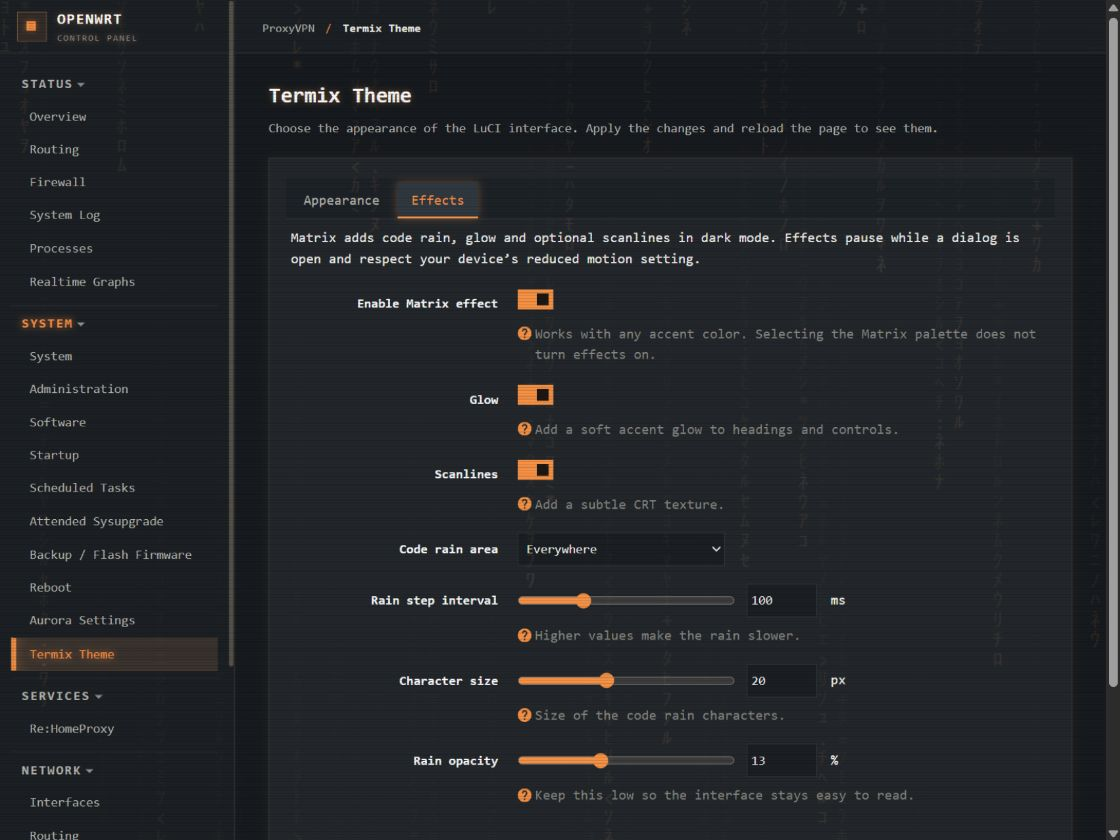
Go green with the new Matrix palette, or keep your usual accent: the rain
and glow follow its color. Orange works rather well.What you can change
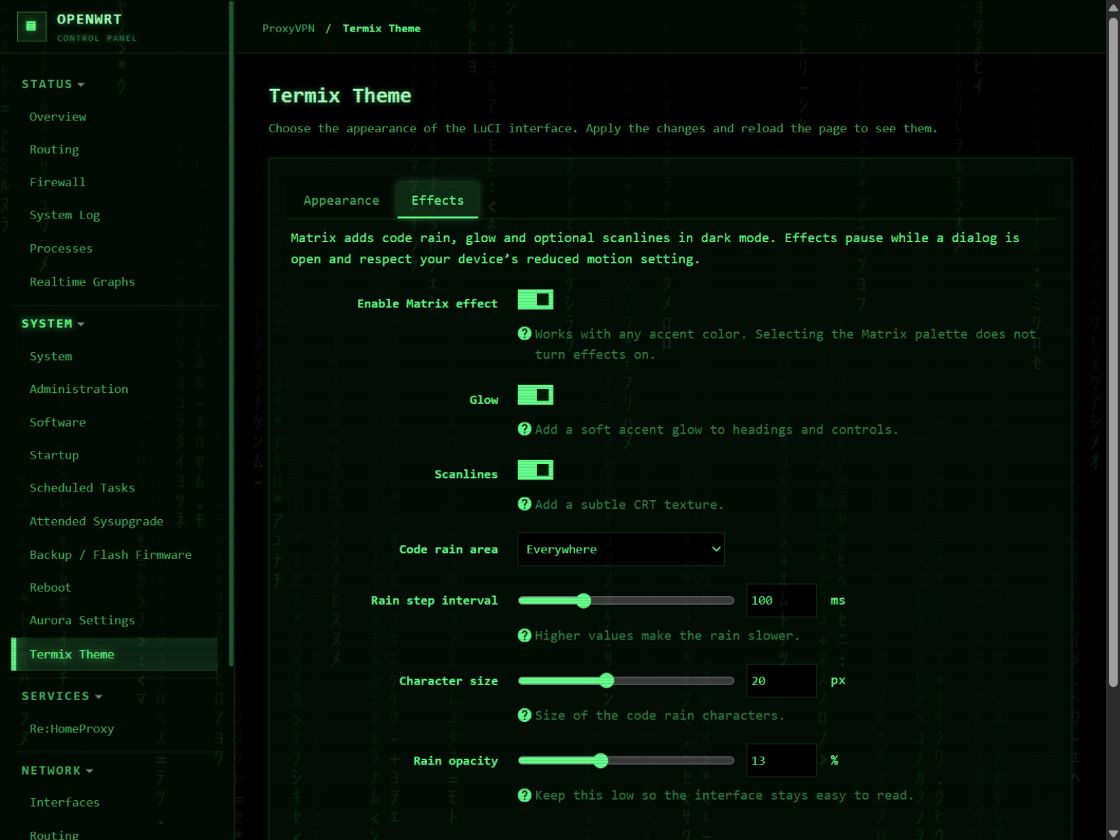
There is a new Effects tab under System → Termix Theme, with one
switch at the top to turn the effect on or off. Below it you can:- Turn glow and scanlines on or off separately.
- Put rain everywhere, over the content, or just on the sidebar and top bar.
- Choose No code rain if you only want glow or scanlines.
- Adjust the rain speed, character size and opacity.
Your choices are kept when you turn the effect off.
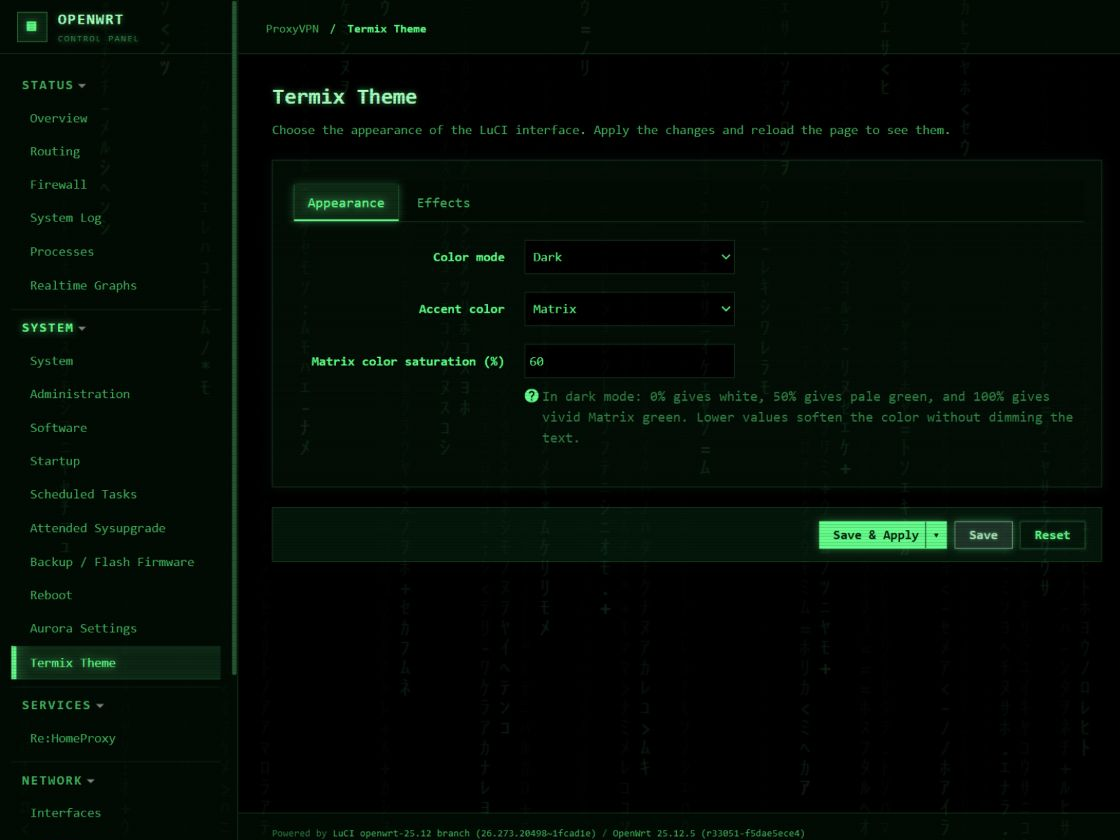
The Matrix palette is separate from the effects switch. Its saturation
defaults to 60%, which gives a softer green. Turn it up to 100% for
the original vivid green, or down to 0% for white text and accents.
Lowering saturation blends toward white instead of making the text darker.A few practical details
Effects are off by default and run only in dark mode. They pause in
hidden tabs, while a LuCI dialog is open, and when your device requests
reduced motion.The code rain uses Unicode characters and system fonts. Everything ships
with the theme; there are no font downloads or external requests for the
effect. The animation runs in your browser.This release also fixes thick bands between table records on mobile.
The rain accounts for high-DPI screens and the mobile sidebar opening and
closing.Thank you
Big thanks to @jbakker81 for suggesting the
Matrix look and sharing his implementation in
#1.
His contribution is the basis of this feature, and he is credited as a
co-author of the integration commit.Install or upgrade
Download
luci-theme-termix-0.2.0-r1.apkand install it over SSH or through
LuCI's package manager:apk add --allow-untrusted ./luci-theme-termix-0.2.0-r1.apkExisting appearance settings are preserved. Reload the browser after
upgrading. To try the new effects, open System → Termix Theme → Effects,
enable them, apply and reload again.Built with the OpenWrt 25.12.5 SDK and checked on OpenWrt 25.12.5 with LuCI
26.273.20498~1fcad1e. The APK is architecture-independent (noarch).
Older OpenWrt releases need an IPK built with their corresponding SDK;
an IPK is not included in this release.SHA256:
f063f5f23ee8da5cde1ddc9f4572486e77baf4956e8cc3b849999c6f417367daScreenshots
Downloads
-
Source code (ZIP)
0 downloads
-
Source code (TAR.GZ)
0 downloads
-
Termix LuCI theme v0.1.0 Stable
2026-09-21 01:42:42 +04:00 | 9 commits to main since this releaseThe first public package of the Termix-inspired LuCI theme for OpenWrt 25.12.
Highlights
- Responsive sidebar and terminal-inspired layout.
- Dark, light, and system color modes.
- Twelve accent presets and a custom HEX accent, configurable under System → Termix Theme.
- Improved form, table, progress bar, and mobile login styling.
Install
Download
luci-theme-termix-0.1.0-r1.apkand install it on an OpenWrt 25.12 device:apk add --allow-untrusted ./luci-theme-termix-0.1.0-r1.apkThen select Termix under System → System → Language and Style. Installation does not change the active theme automatically.
The package was built with the official OpenWrt 25.12.5 SDK. It is architecture-independent (
noarch). Other OpenWrt versions have not been tested.SHA256:
DD3B7562C5E622EC6E8592D1830154FF921478D4FAFCE7F2A1B011701B777F30Downloads
-
Source code (ZIP)
0 downloads
-
Source code (TAR.GZ)
0 downloads